
Every project, one calm glance.
The native Home view brings revenue, project health, unread events, and recent activity into one current picture.
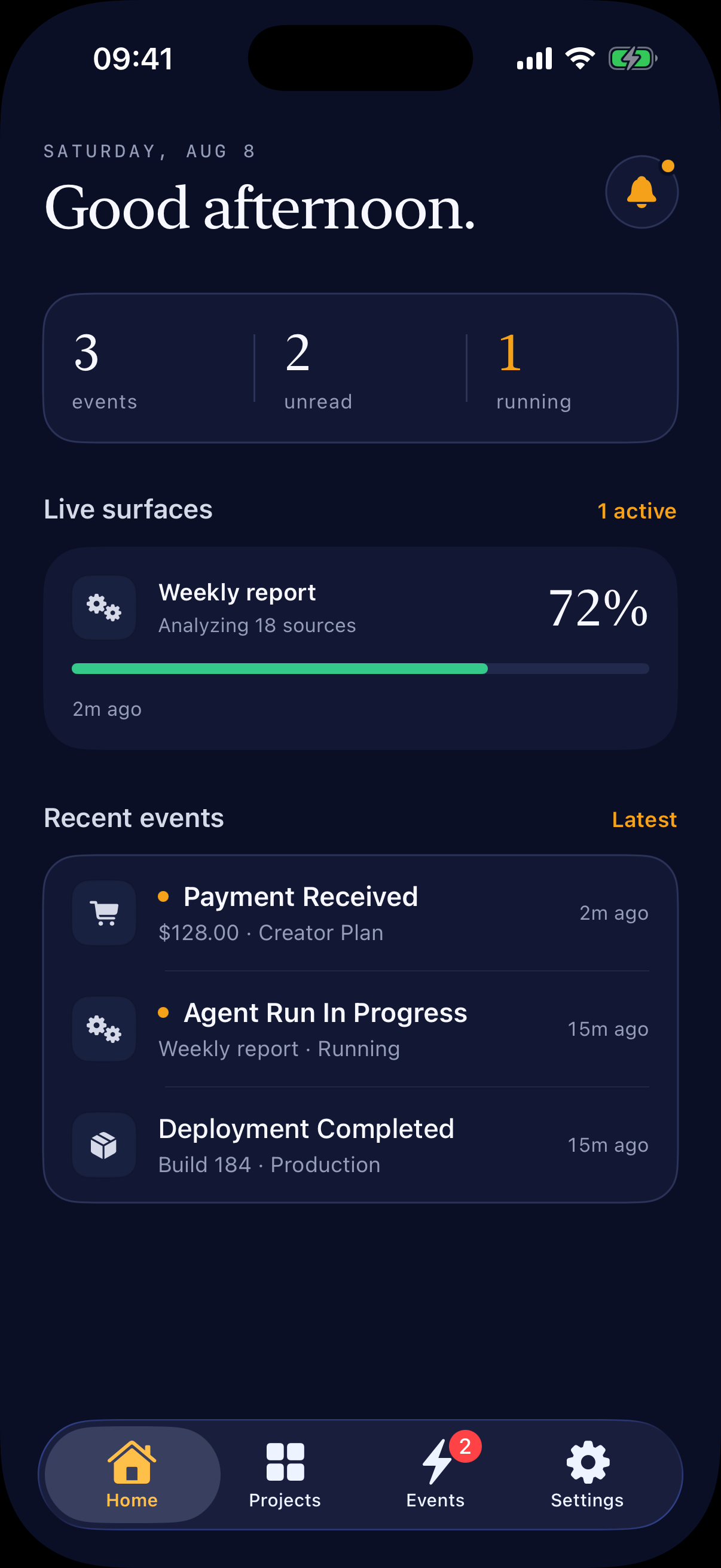
AI-first · the iPhone project radar
Tell Codex, Claude Code, or another coding Agent what you want to watch. It wires revenue, users, deploys, and alerts into Bellwire—without a dashboard builder or notification plumbing.
You decide. Your Agent wires it up. New projects start Private.
Revenue by project, active users, deploys, API health, or a task that needs you.
Example sources your Agent can connect—not built-in one-click integrations.
Captured from the real app
Recorded from the current SwiftUI build in iPhone Simulator with demo project data. Home opens directly into the unread event inbox.
From zero to signal
Three moments, one setup path. Scroll to follow a project from first launch to an iPhone that keeps watch.
The native Home view brings revenue, project health, unread events, and recent activity into one current picture.
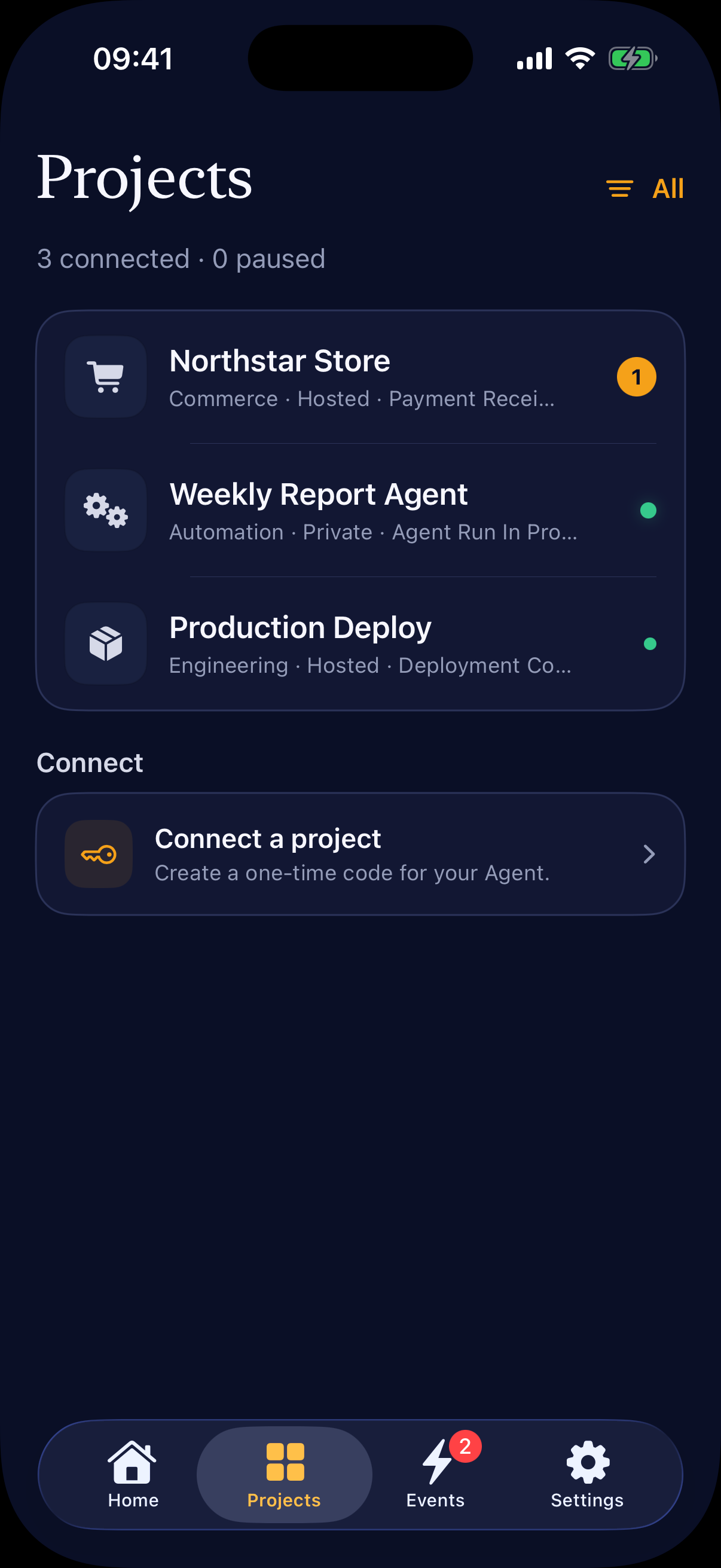
Create a project, hand the one-time code to your coding Agent, and keep sensitive approvals on your iPhone.
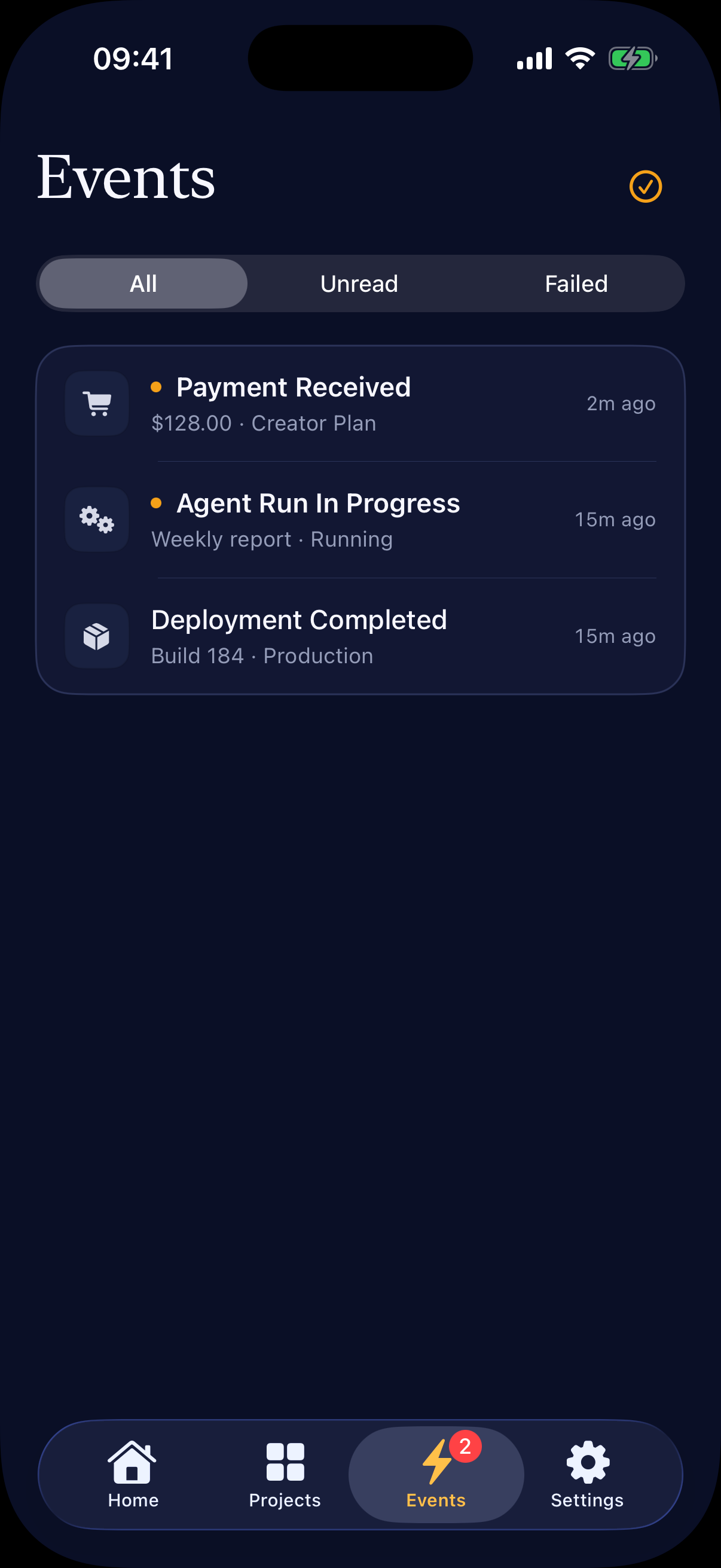
Events keep payments, deployments, Agent runs, and incidents readable after a notification disappears.
Start with revenue. See the whole project.
Bellwire keeps the small set of signals that actually help a founder decide where to look next.
Keep today, this month, payments, refunds, and useful trends together—organized around what you are building.
Payments, refunds, deployments, failures, and recoveries stay readable after the notification disappears.
Use a notification for something urgent, a Widget for ambient state, and a Live Activity for work still moving.
Keep each project understandable without rebuilding the same admin dashboard, alert rules, and status page again.
Native iPhone displays
A Surface can stay on the Home Screen or follow a bounded run across the Lock Screen and Dynamic Island. Bellwire uses each iOS surface for a different kind of attention.
Bellwire Pro · iOS 17 or laterFollow a deployment, Agent run, timer, or checklist while it is active. The current value, progress, or status remains visible until the session ends.
On the Lock Screen, Bellwire uses a Live Activity—not a standalone Lock Screen Widget. Hosted can receive background Activity updates; Private starts and updates locally while Bellwire is open, so its content stays off Bellwire Cloud.
Bellwire is AI-first setup, not another AI dashboard. You authorize the connection and sensitive choices; your coding Agent handles the repository work.
Connect this project to Bellwire. Keep today’s revenue, refunds, active users, production deploy, and API health visible. Notify me when something needs attention. Keep it Private and verify one real signal end to end.
Ask for the revenue, project state, and moments that deserve your attention—in plain language.
It inspects the real source, implements the data path, stores runtime secrets correctly, and deploys the adapter.
The Agent verifies one genuine payment, deployment, or job from its source all the way to your iPhone.
Private and Hosted are project data paths, not vague privacy labels. Every new project starts Private, and only you can approve a change.
Bellwire Cloud relays an encrypted setup envelope and content-free wake. Notification, Inbox, and Surface content travels from your signed HTTPS service to the device.
Choose Hosted when managed storage, rendering, retention, and push operations are more useful than keeping the content path direct.
Notification, Inbox, and card payloads travel from your HTTPS service to the iPhone without Bellwire Cloud reading or storing them.
Connection details are encrypted to an account-specific device key whose private half stays in the iOS Keychain.
An Agent can request Hosted mode, but only you can approve sending and retaining content in Bellwire Cloud.
Simple pricing
Bellwire Cloud handles the API, queue, storage, and push operations. Self-hosting stays free for teams that want full control.
A complete Private or Hosted loop for personal projects.
Annual$29.99 / year · eligible 7-day trial
More capacity, native displays, and Hosted history.
Run the complete stack in your own accounts.
Free includes the complete project-to-iPhone loop. Pro adds more operating capacity and the iOS displays made for always-on work.
| Capability | Free | Pro |
|---|---|---|
| Monthly Signals | 5,000 | 50,000 |
| Active projects | 1 | 20 |
| Connected iPhones | 1 | 3 |
| Surfaces per project | 3 | Unlimited |
| Hosted history | 7 days | 90 days |
| Private history on this iPhone | 30 days | 30 days |
| Home Screen Widgets | — | Small + medium |
| Lock Screen + Dynamic Island | — | Live Activities |
| Project JSON export | — | Included |
| Delivery diagnostics | — | Included |
Private is included on Free and Pro. US pricing is verified on the App Store; final checkout price and trial eligibility follow your storefront.
Download Bellwire, tell your coding Agent what matters, and stop checking one more dashboard.
Download on the App StoreAvailable now for iPhone.